 Skip to content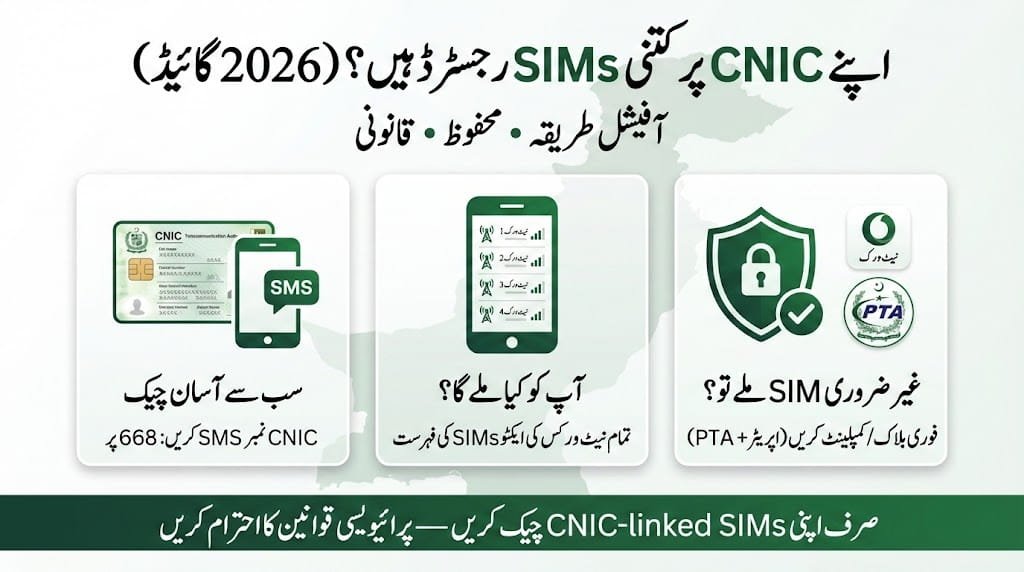
A stranger call is not just a nuisance; it can be a serious sign that a SIM card is illegally registered in your name, especially as mobile fraud continues to rise in Pakistan. From my experience working with telecom verification, knowing how to control the SIMs linked to your identity is essential for financial security.
It is your legal right to follow the official process, and it is far more simpler than most people think when they search for ways to check SIM owner name online and avoid hitting dead ends or scam websites.
The truth is that full personal details are protected under strict privacy laws, so no service can openly share them, but you can legally check your own registered SIMs using safe, official methods. This guide explains how to stay informed while keeping control, and how to report misuse if you find something suspicious, all while relying on an official process that respects privacy and helps you manage your SIM records responsibly.
Table of Contents
What Can You Legally Check Online
- The process is easy, straightforward, and accessible under privacy regulations for lawful self-checks.
- Visit an official source that allows limited access without exposing private details of another person, including name or address.
- Enter the mobile number carefully to verify how many SIMs are registered on your own CNIC.
- Identify the mobile network of a Pakistani number, such as Jazz or Zong, using a basic check.
- Check whether the number active status is shown or if it is blocked for compliance reasons.
- Report and deactivate unauthorized SIMs that are registered under your name to protect your records.
If additional verification is required, you may be asked to provide more information or visit an authorized office.
How to Check SIMs Registered on Your CNIC? (Official PTA Method)

This process is easy, straightforward, and accessible, and it is the most important check for every Pakistani citizen.
Follow the official steps to begin the check SIM owner name service backed by the Pakistan Telecommunication Authority (PTA).
Send an SMS and type your 13-digit CNIC number, without dashes, on your phone.
Send to 668 using the shortcode 668 to submit your request.
Receive info in a reply that shows a listing of active SIMs registered on your CNIC across all networks.
Use this free service, which is the only 100% accurate method I’ve relied on in practice for quick, official verification.
If you want to verify how many SIMs are registered on your CNIC, you can use the official PTA 668 SMS service. For a complete step-by-step guide,

How to Check SIM Owner Name & Status?
This process is easy, straightforward, and accessible for public awareness checks.
Visit a reputable Pakistani SIM database website or mobile app to identify which company a mobile number belongs to, such as Ufone or Telenor.
Use free, legal online tools and enter the 11-digit mobile number you want to check into the tool.
Wait as the system will instantly show the network operator and sometimes the number registration status as active or blocked.
Remember these tools will not show the owner name, address, or location; any site claiming otherwise is likely a scam.

What to Do If You Find an Unauthorized SIM?
This process is easy, straightforward, and accessible when a PTA SMS reply shows a SIM you did not purchase, so take immediate action.
Contact your mobile operator and call the helpline of the network shown, such as Jazz or Zong.
Visit the franchise or nearest customer service center with your original CNIC to proceed safely.
File a complaint and request them to block the fraudulent SIM immediately and provide a complaint number for tracking.
Report to PTA if the matter is unresolved, escalate the issue, and submit details through the PTA complaint portal.
What are the Safe Alternatives for Checking Unknown Numbers?
- The process is easy, straightforward, and accessible for handling routine calls from unknown numbers using safe methods instead of searching for private owner details.
- Use caller ID apps by choosing trusted apps like Truecaller, which show names using crowdsourced data, not official records, and are helpful for identifying spam.
- Search smartly by Google the number; sometimes businesses or scams leave digital footprints you can find through a careful search.
- Report serious cases via official helplines when facing harassment or threats, and contact your network provider or the FIA cyber crime wing for guidance.
- If additional verification is required, you may be asked to provide more information or visit an authorized office.
What is the Legal Perspective?
The process is easy, straightforward, and accessible, but it is critical to understand the law before any check.
Know that privacy law under the personal data protection bill strictly prohibits unauthorized access to citizens’ private data.
Follow PTA regulations, where only authorized entities such as law enforcement can access full SIM owner details for an investigation.
Exercise your right and full right to protect your identity by checking and managing SIMs linked to your own CNIC through official channels.

Conclusion
From my experience, checking a mobile number on CNIC is very easy in Pakistan when you use the PTA online portal or the SMS service 668 to instantly find out how many SIMs are active on your CNIC. This simple approach keeps things clear and official, and it saves time while staying within lawful boundaries.
If you see an unknown number, the right step is to contact network customer service and block it to protect your records and peace of mind. Using these verified routes has helped me avoid confusion and act quickly whenever something didn’t look right.
FAQs
How do I check my SIM number?
From my hands-on experience, you can find your SIM card number (ICCID) easily through your phone settings by opening settings, going to general, then about on an iPhone, or about phone and status on Android, although newer Androids may block this view, so you can also look for it printed on the physical SIM card, use dialing with a special code, or rely on checking the original packaging that came with your SIM.
How to ufone number check?
From my practical experience, to check a Ufone number, you can use the Ufone App, send a message to the WhatsApp bot, or dial the helpline 333, which are the easiest methods for quick help; the Ufone App and WhatsApp also support balance checks and resource checks, while calling 333 gives direct support.
You may also check phone settings, where it sometimes shows the ICCID, not the number itself, and remember that *dialing #06# only displays the phone IMEI, not your number, but it is often required for PTA approval.
How do I find my phone number on a SIM?
From my hands-on experience, the most common path for finding your number on Android is to open settings, go to about phone or device, then check status, phone identity, and network, while the process differs slightly on Apple devices,
where you simply follow path through settings to phone and tap my number, a quick method I often suggest because it works reliably across phones and helps users confirm their SIM details without confusion.
What code to check mobile number?
From my day-to-day experience helping users, the universal method to check a phone number is simple: try dialing a specific USSD code like *#99#, which immediately displays your number on most Android devices, making it a quick and reliable option when you need confirmation without apps or internet.
How can I get a phone number from a SIM card?
From my practical experience, some SIM cards do not display the number inside settings on any phone, so in these cases you should call the service carrier listed on SIM card and ask for help; if you can’t make outbound phone calls, take the card to a store that sells the service carrier’s SIM cards, where staff can check the details for you quickly and reliably.
