Have you ever received a call from an unknown ZONG number and wondered who the owner is? Or perhaps you want to verify whether your ZONG SIM is properly registered under your CNIC? Knowing how to check ZONG number owner name is essential for your safety, preventing identity theft, and staying compliant with Pakistan Telecommunication Authority (PTA) regulations. With the rise in SIM-related fraud cases, verifying ownership has become more important than ever.
Fortunately, Zong and PTA offer multiple official and legal methods to help you verify SIM ownership details. Whether you prefer using online portals, SMS services, mobile apps, or customer care, this comprehensive guide covers all verified ways to find Zong number owner name in 2025. Let’s explore each method step by step.
Table of Contents
Why You Should Verify Zong SIM Owner Name
Understanding the importance of zong sim registration details can protect you from various security risks. Here are key reasons why you should regularly verify Zong number owner verification:
- To confirm if your SIM is registered under your CNIC – Ensures your identity documents aren’t being misused for unauthorized SIM registrations
- To identify unknown or suspicious numbers – Helps you verify callers and protect yourself from potential scams or harassment
- To prevent SIM misuse or identity theft – Early detection of fraudulent SIMs registered under your name can save you from legal complications
- To stay compliant with PTA SIM registration rules – Keeping your SIM registration updated ensures uninterrupted mobile services
Regular checks help you find zong sim owner name quickly and take immediate action if something seems wrong. The Zong number registration check process is straightforward and takes just a few minutes.
Method 1 Check Zong Number Owner Name Through PTA SIM Information System
The PTA SIM Information System is the most authentic and reliable method to verify SIM ownership in Pakistan. This official government portal shows all active SIMs registered under any CNIC.
Step-by-Step Process:
- Visit the official PTA SIM Information website: https://cnic.sims.pk
- Enter your CNIC number (without dashes or spaces)
- Click on the “Submit” button
- The portal will display all active SIMs registered under your CNIC, including Zong numbers
- Review the list carefully to identify all registered connections
Method 2 Check Zong Number Owner Name Using 668 SMS Service
The 668 SMS service is one of the quickest ways to check how many SIMs are registered on your CNIC. This method works even if you don’t have internet access.
Follow these simple steps:
- Open your phone’s Message app
- Type your CNIC number (without dashes or spaces)
- Send the message to 668
- Within seconds, you’ll receive an SMS showing how many SIMs are registered on your CNIC
Example: Send: 3520112345678 → to 668
Note: This service may cost a small SMS fee (approximately PKR 2 to PKR 5 depending on your package). The response will indicate the total number of active SIMs but won’t provide detailed owner names. For complete details, use the PTA portal.
Method 3 – Verify Zong Number Owner Name via Customer Care (310)
If online options aren’t working or you prefer speaking to a representative, Zong’s customer care helpline can assist with ownership verification.
Steps to follow:
- Dial 310 from your Zong SIM
- Listen to the menu options and choose the relevant verification option
- Press the number for “SIM verification” or wait to speak with a Zong representative
- Provide your CNIC number and SIM details when requested
- Request ownership confirmation and ask any questions you have
The customer service team can guide you through the verification process and help resolve any registration issues. Keep your original CNIC ready for verification purposes.
Method 4 – Check SIM Owner Name Using My Zong App
Zong’s official mobile application provides convenient access to your account details, including limited SIM registration information.
How to Use It:
- Download My Zong App from Google Play Store (Android) or App Store (iOS)
- Install and open the application
- Register or log in using your Zong mobile number
- Navigate to “My Account” or “Profile” section
- Check your account profile – it typically shows the registered owner name and basic SIM details
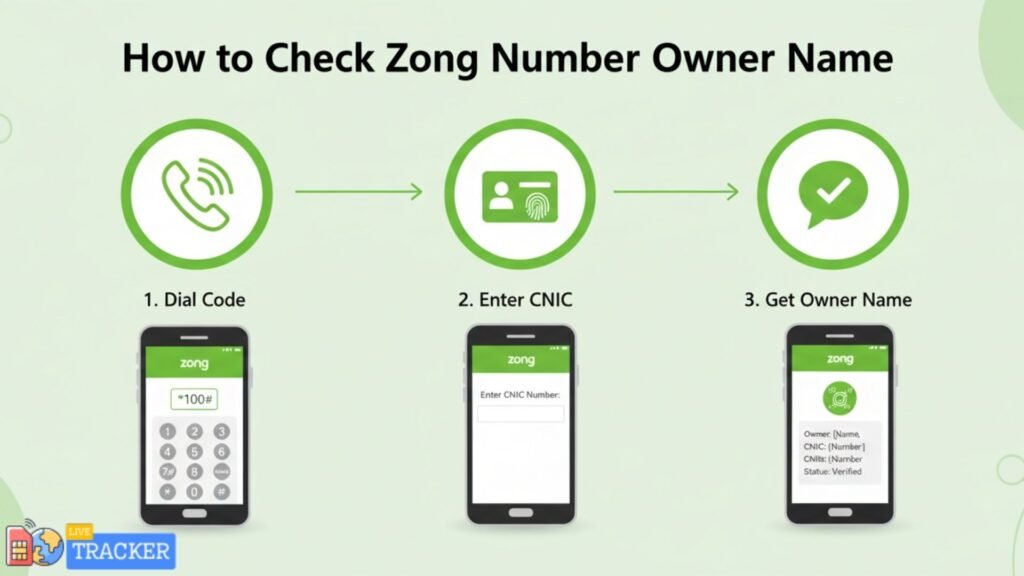
Method 5 – Check Zong SIM Ownership Without Balance
Don’t worry if your Zong number has zero balance – you can still verify ownership using these alternative methods:
Option 1: Using USSD Codes
- Insert your Zong SIM into a mobile phone
- Dial *310# or *100# to access Zong menu options
- Navigate through the menu to find account information
- Check if the number is properly linked to your CNIC
Option 2: Using Another SIM
- If you have another mobile connection with balance
- Send your CNIC number to 668 from that SIM
- You’ll receive information about all SIMs registered under your CNIC, including Zong
Option 3: WiFi Method
- Use the My Zong App with WiFi connectivity
- No mobile balance is required when using WiFi
- Log in to view your registration details
How to Know If Zong Number Is Registered Under Your Name
Confirming whether a specific Zong SIM is registered under your CNIC is crucial for security. Here’s how to do it:
- Use PTA SIM Information System – Visit https://cnic.sims.pk and enter your CNIC
- Compare the listed SIMs with your actual numbers – Check if all numbers shown belong to you
- If a SIM is not yours, report it immediately – Contact PTA helpline or visit the nearest Zong franchise
What to do if you find an unauthorized SIM:
- Note down the suspicious number immediately
- Report it to PTA through their official complaint portal
- Visit a Zong service center with your original CNIC
- File a formal complaint to block the unauthorized SIM
| Verification Method | Cost | Time Required | Best For |
|---|---|---|---|
| PTA SIM Portal | Free | 2-3 minutes | Complete verification with all details |
| 668 SMS Service | PKR 2-5 | Under 1 minute | Quick count of registered SIMs |
| My Zong App | Free | 3-5 minutes | Personal account management |
| Customer Care (310) | Free | 5-10 minutes | Technical assistance and queries |
| USSD Codes | Free | 2-3 minutes | Zero balance verification |
Important Security Tips for Zong Users
Protecting your SIM registration information is essential in today’s digital age. Follow these critical security guidelines:
- Only use official PTA or Zong platforms – Stick to verified government and company websites for SIM verification
- Avoid third-party websites claiming to show SIM owner names – These sites may be phishing attempts to steal your personal information
- Never share CNIC or personal details on unverified pages – Legitimate services never ask for sensitive information via email or unofficial channels
- Report any unauthorized SIM under your CNIC to PTA immediately – Quick action can prevent misuse of your identity
- Keep your CNIC and biometric data secure – Don’t share copies with unauthorized persons
- Regularly monitor your registered SIMs – Check at least once every three months using the PTA portal
- Update your contact information with Zong – Ensure they can reach you if there’s suspicious activity
Conclusion
Knowing how to check Zong number owner name is a vital skill for every mobile user in Pakistan. The methods outlined in this guide – particularly the PTA SIM Information System and the 668 SMS service – provide trusted, official ways to verify ownership and protect yourself from identity theft. Regular verification ensures that no unauthorized SIMs are registered under your CNIC, keeping you compliant with PTA regulations and safe from fraud.
Remember to use only official platforms when checking Zong SIM registration details, never trust third-party websites, and immediately report any suspicious activity. Your data privacy and security depend on staying vigilant about your SIM registrations.
(FAQs)
Q1: Can I check Zong number owner name online? Yes, you can use the official PTA SIM Information System at https://cnic.sims.pk to check it safely and legally.
Q2: Can I find Zong SIM owner name without CNIC? No, for security and privacy reasons, CNIC verification is mandatory for all SIM ownership checks in Pakistan.
Q3: How can I check how many Zong SIMs are registered on my CNIC? Send your CNIC number (without dashes) to 668 via SMS or visit the PTA SIM Information portal for detailed results.
Q4: What should I do if an unknown Zong SIM is registered under my CNIC? Immediately report it to PTA through their complaint system or visit your nearest Zong franchise with your original CNIC for correction.
Q5: Is it legal to check someone else’s Zong number owner name? No, it’s illegal and violates privacy laws. You should only verify SIMs registered under your own CNIC for security purposes.