
Have you ever wondered how many SIM cards are registered under your national identity card? In Pakistan, unauthorized SIM registrations have become a growing concern, leading to identity theft, financial fraud, and legal complications. This is where the ID card SIM check code Pakistan becomes essential.
The Pakistan Telecommunication Authority (PTA) introduced the 668 SIM Information System to help citizens verify and monitor all mobile numbers linked to their CNIC. Whether you’re concerned about privacy, security, or simply want to ensure compliance with telecom regulations, this comprehensive guide will walk you through every method to use the ID card SIM check code Pakistan and protect your digital identity.
Table of Contents
What Is the PTA SIM Information System (668)?
The PTA SIM Information System, accessible through the short code 668, is an official government platform designed to provide Pakistani citizens with instant access to their SIM registration data. Launched by the Pakistan Telecommunication Authority, this system maintains a centralized database of all mobile connections registered across different networks in the country.
The 668 system was introduced to combat several critical issues:
Identity Misuse Prevention: Unscrupulous individuals often register multiple SIM cards using stolen or borrowed CNICs. These cards can be used for illegal activities, leaving innocent citizens vulnerable to legal action.
Regulatory Compliance: The system ensures that all telecom operators comply with government regulations regarding SIM registration and biometric verification requirements.
Consumer Protection: By providing transparency, the platform empowers citizens to monitor their identity usage and take immediate action against unauthorized registrations.
National Security: The database helps law enforcement agencies track and prevent criminal activities conducted through mobile networks.
The security benefits extend beyond personal protection. When you regularly check your registered SIMs, you’re actively participating in national cybersecurity efforts while safeguarding your digital footprint from potential misuse.
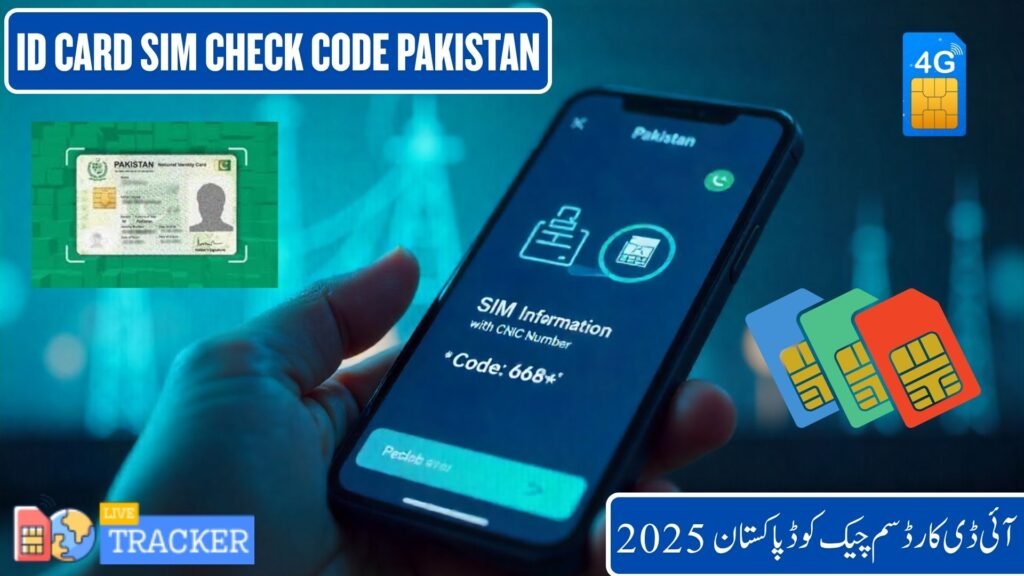
How to Check SIMs Registered on Your ID Card (CNIC)
Verifying your registered SIM cards is straightforward, thanks to multiple access methods provided by PTA. Here’s a detailed breakdown of each approach:
Method 1 – Check SIMs via SMS (Using 668 Code)
The SMS method is the quickest and most accessible way to check your registered SIMs, requiring no internet connection:
Step 1: Open your phone’s messaging application
Step 2: Create a new SMS message
Step 3: Type your 13-digit CNIC number without dashes (for example: 3520212345671)
Step 4: Send the message to 668
Step 5: Within seconds, you’ll receive a response listing all mobile numbers registered under your CNIC, organized by network operator
This method works across all Pakistani networks including Jazz, Zong, Ufone, and Telenor. The service is completely free, and you can check as many times as needed. The response message will clearly indicate which numbers belong to which telecom operator, making it easy to identify and verify your active connections.
Method 2 – Check SIMs Online via PTA Portal
For those who prefer digital interfaces, PTA offers an official web portal that provides comprehensive SIM verification:
Step 1: Visit the official website at https://cnic.sims.pk/
Step 2: Enter your 13-digit CNIC number in the designated field (without dashes)
Step 3: Complete the captcha verification to confirm you’re human
Step 4: Click the “Submit” or “Check” button
Step 5: The system will instantly display all mobile numbers registered under your CNIC, categorized by network
The online portal offers a more detailed view compared to SMS, often including additional information such as registration dates and status. This method is particularly useful when you need to document your registered SIMs for official purposes or want to take screenshots for record-keeping.

Network-Wise SIM Check Codes in Pakistan
While the universal 668 code works across all networks, understanding operator-specific options can enhance your verification experience:
| Network | Check Code / Method | Additional Options |
|---|---|---|
| Jazz | Send CNIC to 668 | Visit Jazz World app or jazz.com.pk portal for detailed account information |
| Zong | SMS CNIC to 668 | Use My Zong app for comprehensive SIM management and verification |
| Ufone | SMS CNIC to 668 | Contact customer service at 333 for assistance with SIM verification |
| Telenor | SMS CNIC to 668 | Access telenor.com.pk or Telenor app for online verification |
| Warid | SMS CNIC to 668 | Now merged with Jazz; use Jazz methods for verification |
Each network maintains its customer portals where you can access additional features beyond basic SIM verification. These platforms often provide usage history, package details, and account management tools alongside verification services.
For Jazz users, the Jazz World app offers biometric verification features and allows you to manage your SIM status directly from your smartphone. Zong subscribers can benefit from the My Zong app’s comprehensive dashboard that integrates SIM verification with other account features.
Telenor’s online portal provides detailed registration information and allows users to update their contact details while verifying their SIM cards. Ufone maintains a streamlined verification process through both SMS and their customer service channels.

How to Block Extra SIMs Registered on Your CNIC
Discovering unauthorized SIMs registered under your CNIC requires immediate action. Here’s a comprehensive process to secure your identity:
Identification Phase: Use the 668 code or online portal to obtain a complete list of all registered numbers. Carefully review each number and identify those you don’t recognize or no longer use.
Documentation: Take screenshots or write down the unauthorized numbers along with their network providers. This documentation will be essential when filing complaints or requesting blocks.
Franchise Visit: Visit the nearest franchise or service center of the respective mobile network operator. Bring your original CNIC, a copy for their records, and any supporting documentation.
Biometric Verification: At the service center, you’ll undergo biometric verification to confirm your identity. This typically involves fingerprint scanning and photograph verification.
Block Request: Submit a formal request to block the unauthorized SIMs. The operator is legally obligated to process your request and deactivate the numbers within a specified timeframe.
Confirmation: Request written confirmation of the blocking action. Most operators provide a reference number or receipt that you should keep for future reference.
Follow-up: After 24-48 hours, check again using 668 to confirm the unauthorized numbers have been removed from your CNIC record.
If you encounter resistance or delays, you can file a complaint directly with PTA through their official complaint management system at pta.gov.pk. The authority takes unauthorized SIM registrations seriously and typically resolves complaints within a few working days.
Why You Should Regularly Check SIMs Linked to Your CNIC
Regular monitoring of your CNIC-linked SIMs isn’t just about compliance—it’s a crucial aspect of digital security and personal safety.
Identity Theft Prevention: Criminals often use stolen identities to register SIM cards for fraudulent activities. These cards might be used for financial scams, harassment, or even serious crimes. Regular checks ensure you catch unauthorized registrations early before they cause significant damage.
Financial Protection: Many financial services, including mobile banking and digital wallets, rely on mobile numbers for authentication. Unauthorized SIMs registered under your CNIC could potentially be exploited to access your financial accounts or conduct fraudulent transactions.
Legal Safeguarding: If a SIM registered under your CNIC is used for illegal activities, you could face legal scrutiny. Regular verification creates a documented trail showing your proactive approach to monitoring your identity usage.
Credit Score Impact: In Pakistan’s evolving digital economy, your CNIC is increasingly linked to credit scoring systems. Unauthorized SIM usage could potentially affect your creditworthiness if those numbers are associated with defaults or fraudulent activities.
Real-World Cases: Recent reports indicate that thousands of Pakistani citizens have discovered unauthorized SIMs registered under their CNICs, often registered by mobile shop employees or through data breaches. Some individuals faced legal notices for activities they never conducted, highlighting the importance of regular monitoring.
Best Practices for CNIC Protection:
- Check your registered SIMs at least once every three months
- Never share your CNIC number unnecessarily
- Always insist on being present during SIM registration
- Keep copies of all SIM registration receipts
- Immediately report lost or stolen CNICs to NADRA
- Use biometric verification for all SIM-related transactions
- Monitor your credit reports for unusual activities linked to your CNIC
Conclusion
The ID card SIM check code Pakistan system represents a significant step forward in protecting citizens’ digital identities. The 668 service and online PTA portal provide accessible, free tools that every Pakistani should use regularly. By taking just a few minutes every few months to verify your registered SIMs, you’re protecting yourself from identity theft, financial fraud, and potential legal complications. The process is simple, quick, and empowers you to take control of your digital footprint.
Don’t wait until you discover unauthorized usage—make SIM verification a regular habit. Visit the official PTA SIM Information System today at cnic.sims.pk or send your CNIC to 668 to verify your SIMs and keep your national identity card safe from misuse. Your security is in your hands, and the tools to protect it are just a message or click away.
FAQs
How many SIMs can one person register in Pakistan? Currently, PTA allows a maximum of 5 to 10 SIM cards per CNIC depending on verification status and network policies.
Can I check SIMs without internet? Yes, simply send your 13-digit CNIC number via SMS to 668 from any mobile phone without requiring internet connectivity.
What if a number appears that I don’t own? Visit the respective network’s franchise immediately with your CNIC and request blocking of the unauthorized number through biometric verification.
How to report fake SIM registration? File a complaint through PTA’s official complaint management system at pta.gov.pk or call the PTA helpline at 0800-55055.
Is the 668 service free to use? Yes, checking your registered SIMs through 668 is completely free across all Pakistani mobile networks.